Your AI plans it.
Bridge puts it on your wrist.

A free iPhone app that connects the AI you already use, ChatGPT, Claude or any MCP client, to your Apple Health data and your Apple Watch. No new AI to learn.

Coming soon to the App StoreConnect your AI
Works withChatGPTClaudeCursorPerplexityany MCP client
Resting HR 46 bpm
HRV 64 ms · +6% vs 7d
Slept 7h 48m
Readiness 82 · Primed
Load ratio 1.08 · sweet spot
Bridge MCP
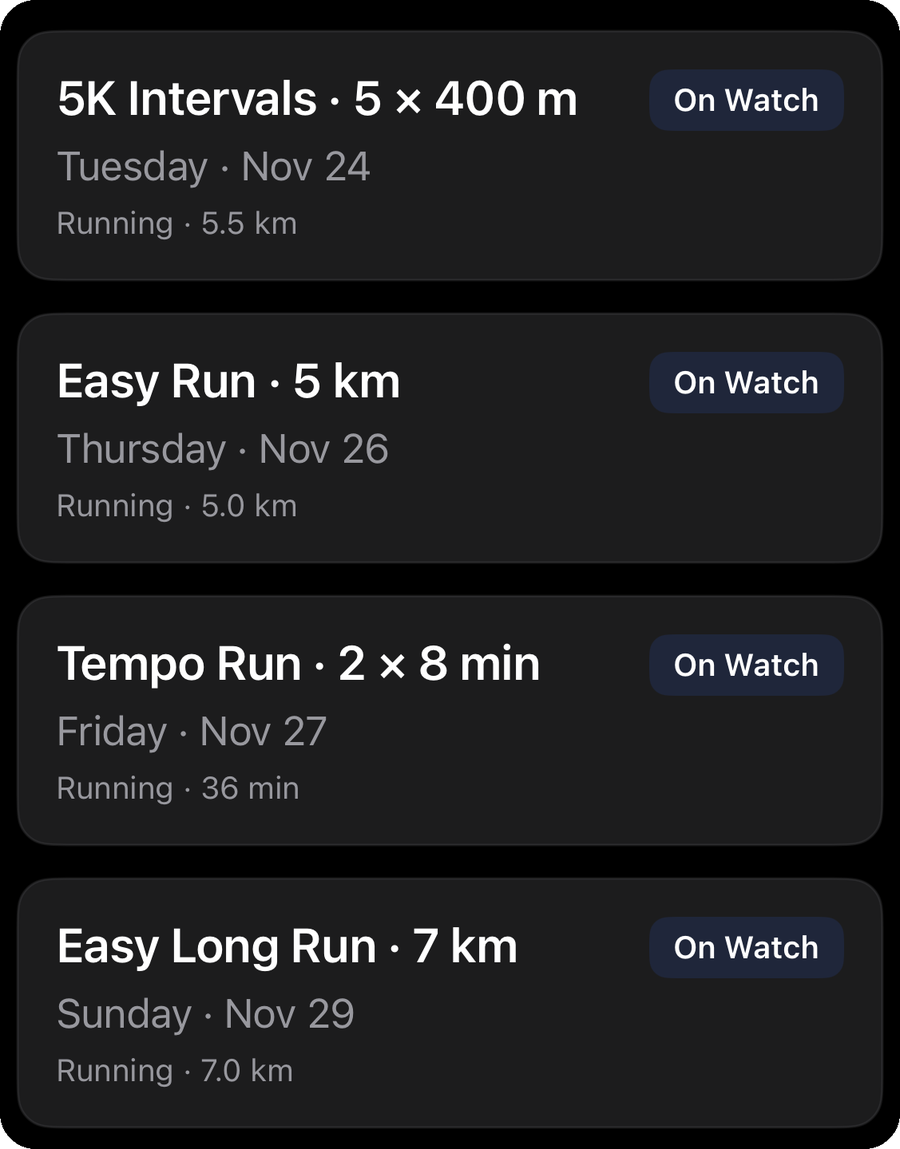
Tempo Run · 2 × 8 min
Easy Run · 5 km
Intervals · 5 × 400 m
Long Run · 7 km
Week plan · 4 workouts

Illustrative data

01

Install and sign in

Sign in with Apple and allow Apple Health access. Your analytics fill in right away.

02

Connect your assistant

Add one address to your AI app and approve it in Bridge Fitness with a short code.

03

Ask for a workout

It lands in your Plan tab and on the Workout app on your Apple Watch.

What you get

Everything your assistant needs. Nothing it doesn't.

ChatGPT or Claude
Plan tomorrow's tempo run around my recovery and put it on my watch.
bridge · get_health_summary → HRV 64 ms
bridge · get_health_summary → readiness 82

Recovery looks good and your form is fresh, so tomorrow can be a quality day: 2 × 8 min at tempo with 3 min easy between.

Tempo Run · 2 × 8 min36 MIN
bridge · create_workout → sent to Watch
01 · Plan

Ask your own assistant to plan it

  • Use the ChatGPT or Claude you already have. Bridge adds no AI and no subscription.
  • Describe a session in plain language: intervals, tempo, long runs, strength.
  • Your assistant builds warmups, intervals, recovery and heart rate, pace or power targets.
  • It can read your Apple Health summary first, so plans account for your recovery.
Tomorrow 07:00Tempo Run
36 MIN · 2 × 8
02 · Watch

Delivered to your Apple Watch

  • Every planned workout shows in your Plan tab, marked when it is on your Watch.
  • Sent to the Workout app through Apple's WorkoutKit, ready to start from your wrist.
  • Follow time, distance and zone guidance during the session.
  • Open the app and it syncs.
03 · Analytics

See how your training builds

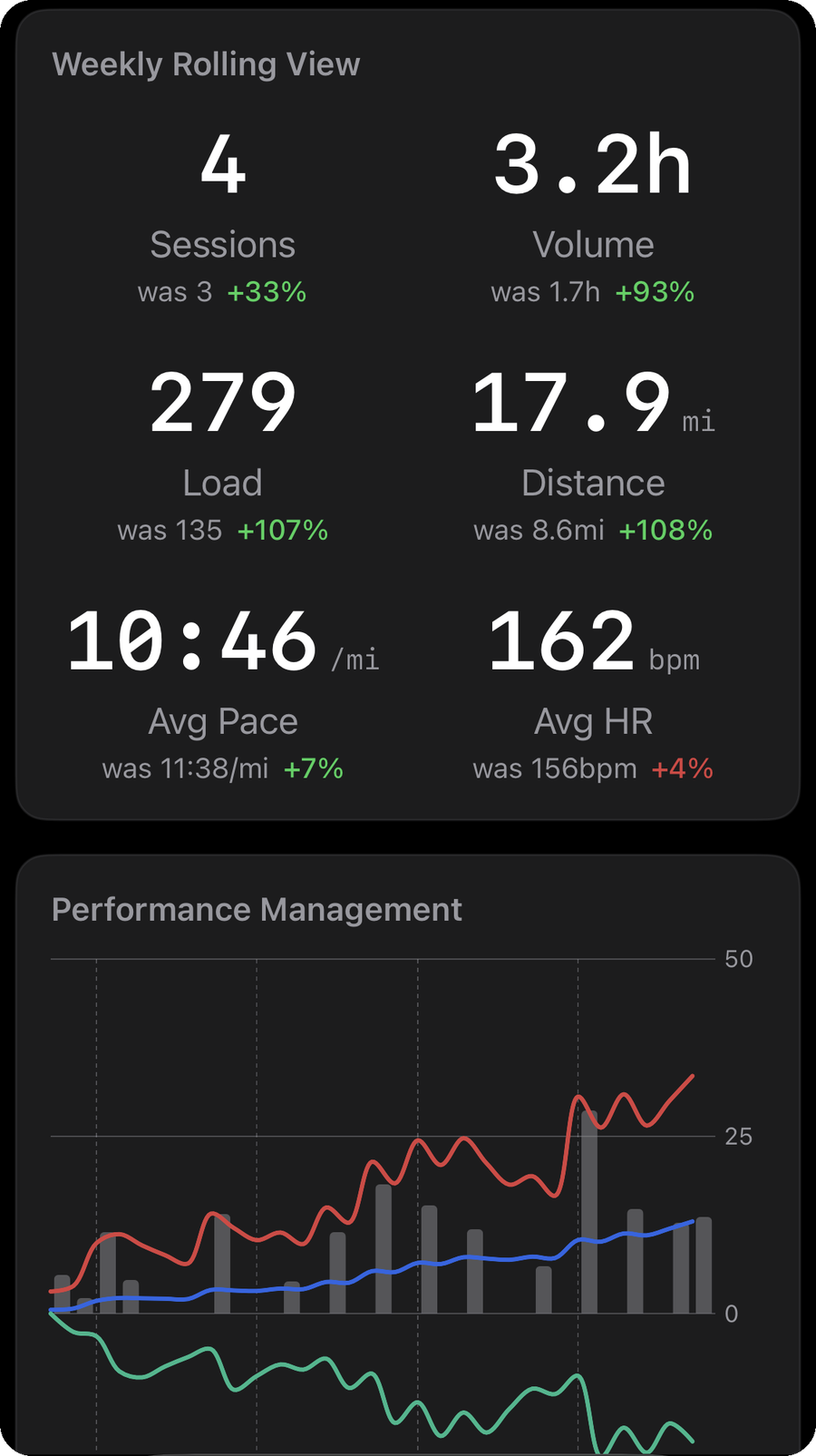
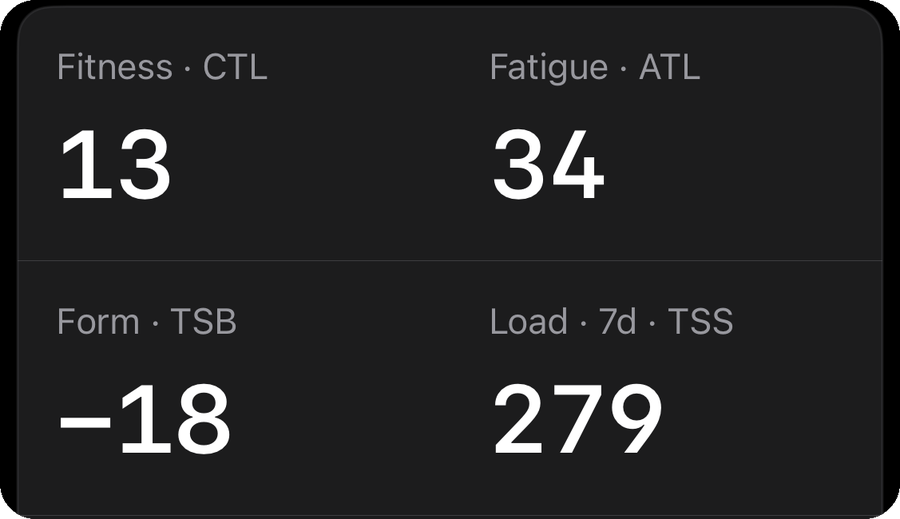
  • Fitness, fatigue and form trends from your workouts.
  • Weekly volume by sport, pace trends and heart rate zones.
  • Ranges from one week to one year.
  • Computed on your phone from your Apple Health data.
04 · Recovery

Know when to push, know when to rest

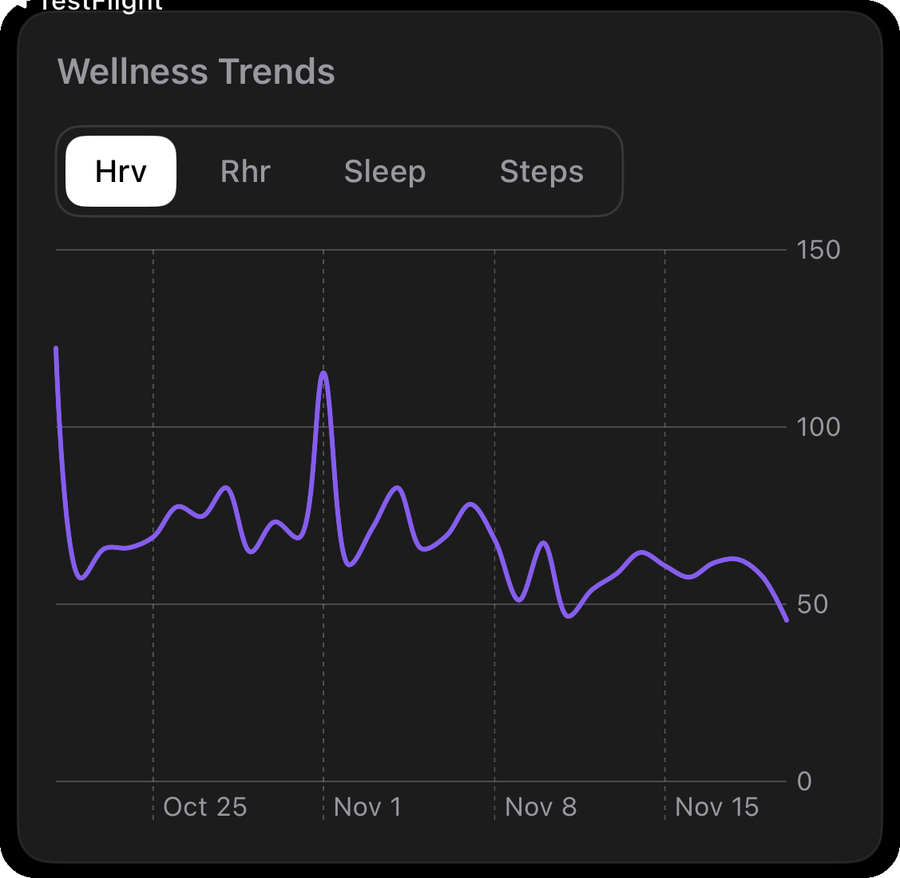
  • A daily readiness score from HRV, resting heart rate and sleep.
  • Load balance and a load flag when training ramps too fast.
  • Sleep, steps, calories and weight trends.
  • Estimates for general fitness, not medical advice.
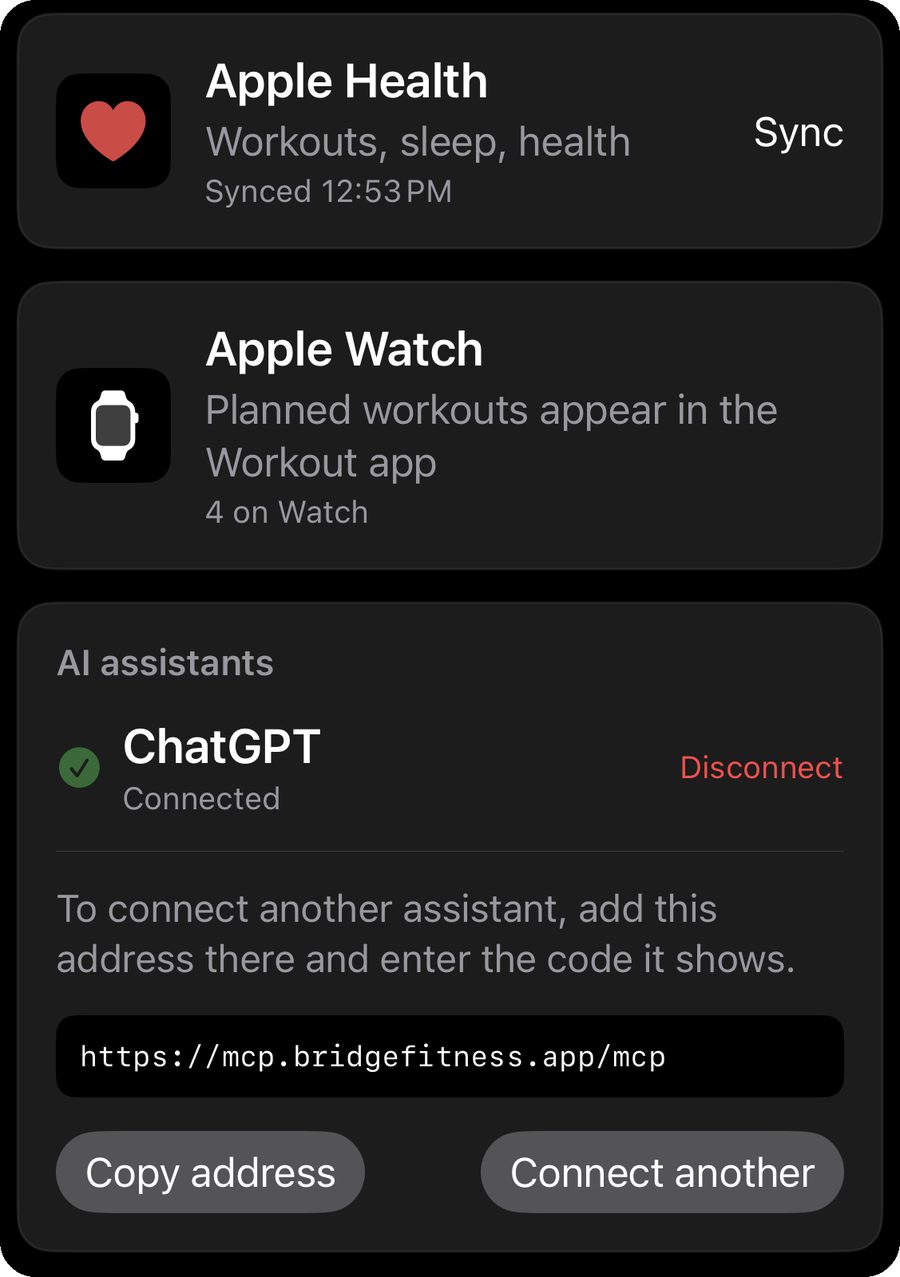
05 · Connect

Connect once, stay in control

  • Add one address to your AI app and approve it with a short code.
  • See every connected assistant in the app and disconnect in one tap.
  • Works with any assistant that supports remote MCP connectors.
Sign in with AppleNo email, no password to remember
You choose who connectsDisconnect any assistant in one tap
Delete everything, anytimeAccount and data gone from our servers
06 · Private

Private by design

  • Sign in with Apple. No email or password to manage.
  • Your full Health history stays on your phone.
  • Delete your account and all server data from the app.
  • We never sell your data or use it for advertising.
Connect

Add it in 30 seconds.

  1. Go to chatgpt.com/plugins on a computer. Click Add, then Create MCP app.
  2. Name it Bridge Fitness, paste the address, choose OAuth and click Create.
  3. A 6-character code appears. Enter it in Bridge Fitness under Integrations → Connect an assistant.
  4. Start a chat with Bridge Fitness turned on and ask for a workout.

Needs a ChatGPT plan that supports custom MCP apps, used in a browser.

  1. Go to claude.ai → Settings → Connectors. Click Add custom connector.
  2. Name it Bridge Fitness, paste the address and click Add, then Connect.
  3. A 6-character code appears. Enter it in Bridge Fitness under Integrations → Connect an assistant.
  4. Turn Bridge Fitness on in a chat and ask for a workout.

Needs a Claude plan that supports custom connectors.

  1. Open Cursor Settings → MCP and click Add new MCP server, or edit ~/.cursor/mcp.json.
  2. Add the server below.
    {
      "mcpServers": {
        "bridge-fitness": {
          "url": "https://mcp.bridgefitness.app/mcp"
        }
      }
    }
  3. A 6-character code appears. Enter it in Bridge Fitness under Integrations → Connect an assistant.
  4. Ask for a workout in chat.

Sign in when Cursor prompts you to connect.

  1. In any MCP client, add a remote server (Streamable HTTP) with the address.
  2. Choose OAuth if asked, and sign in when prompted.
  3. A 6-character code appears. Enter it in Bridge Fitness under Integrations → Connect an assistant.
  4. Ask for a workout.

Works with any client that supports remote MCP servers with sign-in.

Connector address
https://mcp.bridgefitness.app/mcp

Same address for every app. Code expired? Reconnect for a new one. Workout not on your Watch? Open Bridge Fitness.

FAQ

Questions, answered.

Is Bridge Fitness free?

Yes, the app is free. You bring your own ChatGPT or Claude account, and any plan or usage costs for those belong to them, not to us.

Does Bridge Fitness have its own AI?

No. Bridge is the connection, not the coach. Your own assistant does the thinking, and Bridge lets it read your Apple Health summary and put workouts on your Apple Watch.

Which assistants work with it?

Any AI app that supports remote MCP servers with sign-in, including ChatGPT and Claude. Add the connector address and approve it with a code.

Do I need an Apple Watch?

To get workouts on your wrist, yes. Planned workouts are sent to the Workout app on a paired Apple Watch. Without a Watch you can still see your plan and analytics on your iPhone.

What does my assistant see?

Only what you approve. After you connect, it can read a recent summary of your Apple Health data (about the last 30 days of workouts, heart rate, HRV, sleep, steps, weight and VO2 max, plus the scores Bridge computes) and your planned workouts. Your full Apple Health history never leaves your phone.

How do workouts reach my Watch?

Your assistant creates the workout through Bridge. When you open Bridge Fitness, it sends the workout to your Watch using Apple's WorkoutKit. Open the app after a new plan is created to sync it.

Is my data private?

We never sell your data or use it for advertising. You sign in with Apple, can see and disconnect every assistant in the app, and can delete your account and all server data from Integrations → Delete account. Read the privacy policy.

Is this medical advice?

No. Bridge Fitness is for general fitness. Scores like readiness and load are estimates, not medical advice, and the app is not a medical device. Talk to a doctor before starting a new training program.

Blog

Train smarter with your own AI.

Support

Need a hand?

Email

support@bridgefitness.app

Tell us which step you are on and what you see. We read every message.

Delete your data

Inside the app

Integrations, then Delete account. This removes your account, plans, health summaries and connections from our servers. Apple Health data on your phone is never touched.

Privacy

Read the policy

What we collect, how we use it and how to delete it. Privacy policy →

Put your AI coach on your wrist.

Free on iPhone. Works with the AI you already use.

Coming soon to the App StoreConnect your AI